
7,000 channels and 18,000 movies — what VenneTV actually offers
You don’t need vague promises—you need specifics. With VenneTV, the offer is simple: 7,000+ live channels plus a 18,000-title movies & series library (VOD), with 4K UHD where available.
On this page you’ll see what that catalog usually includes (Germany + international), how the TV guide (EPG) works, how search behaves in common IPTV apps, and what “regular channel updates” means in real use. No fluff—just a clear breakdown so you can decide if the lineup fits your daily watching.
On this page you’ll see what that catalog usually includes (Germany + international), how the TV guide (EPG) works, how search behaves in common IPTV apps, and what “regular channel updates” means in real use. No fluff—just a clear breakdown so you can decide if the lineup fits your daily watching.
1) Live TV: what “7,000+ channels” means in practice
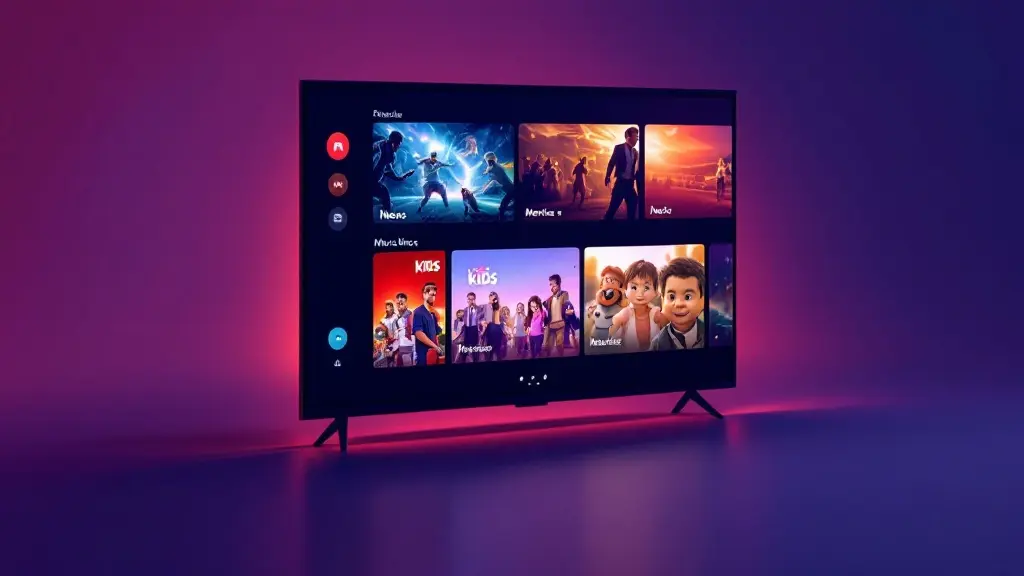
The 7,000+ live channels number isn’t one single “German list”. It’s a mix of Germany + Europe + international lineups, grouped by country and genre in most IPTV apps.
What you typically get:
Important detail: IPTV lineups are dynamic. Channels can change names, switch sources, or move categories. VenneTV aims to keep the list current with regular channel updates—meaning broken links are replaced, new channels can appear, and categories can be reorganized to stay usable.
Also worth knowing: the “7,000+” includes many international duplicates (same channel in different qualities or regions). That’s not a bad thing—duplicates can be helpful when one source is temporarily unstable.
If you want to judge the live list quickly, focus on three things during testing: (1) how fast channels start, (2) how consistent your top 20 channels are, and (3) whether categories match your language needs. That’s the real value of a large catalog.
What you typically get:
- DE & DACH focus: mainstream German channels, plus regional options depending on the current feed list.
- International packages: UK, USA, France (FR), Spain (ES), Italy (IT), Netherlands (NL), Turkey (TR) and more—useful if you want native-language news or entertainment.
- Genre variety: news, documentaries, kids, entertainment, music, lifestyle and more.
- Adult category: usually separated in its own section in the playlist/app navigation (availability can vary by provider feed).
Important detail: IPTV lineups are dynamic. Channels can change names, switch sources, or move categories. VenneTV aims to keep the list current with regular channel updates—meaning broken links are replaced, new channels can appear, and categories can be reorganized to stay usable.
Also worth knowing: the “7,000+” includes many international duplicates (same channel in different qualities or regions). That’s not a bad thing—duplicates can be helpful when one source is temporarily unstable.
If you want to judge the live list quickly, focus on three things during testing: (1) how fast channels start, (2) how consistent your top 20 channels are, and (3) whether categories match your language needs. That’s the real value of a large catalog.
2) Sports & event channels: how to think about availability
Many people look for sports first. VenneTV’s live catalog usually includes a broad selection of sports channels across Germany and international markets.
You may see channels and brands in categories such as:
Two practical points so your expectations match reality:
If you care about sports, don’t just check whether a logo exists in the list. Use the trial to test:
Bottom line: VenneTV’s strength is breadth—lots of options across leagues and countries—plus ongoing updates so the sports section doesn’t get stale.
You may see channels and brands in categories such as:
- German sports coverage (e.g., Sky Sport, DAZN, Magenta Sport, Eurosport): often listed in sports sections alongside international sports networks.
- International sports packages: UK/US/FR/ES/IT networks, plus regional sports stations.
- Event-style feeds: temporary channels that appear around tournaments or special events (these can come and go).
Two practical points so your expectations match reality:
- Lineups can vary by update cycle. A channel might be available today and move tomorrow (name changes, region splits, or new sources).
- Quality depends on the source. Some sports channels are HD, some are Full HD, and 4K UHD where available is typically limited to certain events/feeds and requires a stable connection.
If you care about sports, don’t just check whether a logo exists in the list. Use the trial to test:
- Start time (how fast the stream loads)
- Stability during peak hours (evening/weekends)
- Audio track behavior (some feeds have multiple audio options)
- Whether your preferred app’s player handles the stream smoothly
Bottom line: VenneTV’s strength is breadth—lots of options across leagues and countries—plus ongoing updates so the sports section doesn’t get stale.
3) Movies & series (VOD): what the 18,000 library is like
Beyond live TV, VenneTV includes a VOD library with 18,000+ movies and series. This isn’t the same as Netflix-style originals. Think of it as a large on-demand shelf that complements live channels.
What you typically see inside the VOD area:
Quality and playback expectations:
If you mostly watch on-demand, your best test is simple:
VOD is where VenneTV can replace a lot of “random streaming” for everyday watching: one place for live channels and a big on-demand library, without needing separate apps just to find something to watch.
What you typically see inside the VOD area:
- Movies sorted by genre (action, comedy, drama, thriller, family, etc.).
- Series with seasons/episodes, often grouped by language or popularity.
- Mixed languages: German titles plus international content depending on availability.
- New additions over time: the library is updated, so the “new” rows change regularly.
Quality and playback expectations:
- 4K UHD where available: only for selected titles/streams. Many VOD items are HD/Full HD.
- Different audio/subtitle behavior: some titles include multiple audio tracks or subtitles, others don’t. This depends on the source file.
- Catalog organization depends on your app: some apps show clean posters and filters, others are more basic.
If you mostly watch on-demand, your best test is simple:
- Search 10 titles you actually want
- Check if playback resumes reliably
- Try fast-forward/rewind (some players handle this better)
- Test on your main device (Fire TV, Android TV, phone, tablet, browser)
VOD is where VenneTV can replace a lot of “random streaming” for everyday watching: one place for live channels and a big on-demand library, without needing separate apps just to find something to watch.
4) 4K UHD, HD and stream quality: what you can realistically expect
VenneTV supports 4K UHD where available, but it’s important to understand how IPTV quality works: quality is tied to each specific channel/feed and your home setup.
Typical quality tiers you’ll encounter:
What impacts your viewing experience the most:
A practical way to test quality fast:
VenneTV’s advantage here is not a promise that everything is UHD—it’s the combination of large catalog + multiple sources + ongoing updates, so you can usually find a stable version of the channel you want.
Typical quality tiers you’ll encounter:
- SD: older or niche channels, lower bandwidth.
- HD: the baseline for many popular channels.
- Full HD (1080p): common for major channels and many sports feeds.
- 4K UHD: available for selected sources/events, not “everything in 4K”.
What impacts your viewing experience the most:
- Your connection: stable speed matters more than peak speed. A solid home network (good Wi‑Fi or Ethernet) reduces buffering.
- Your device: modern Android TV/Fire TV boxes handle decoding better than very old sticks or cheap TV chipsets.
- Your app/player: some apps switch players automatically; others let you pick external players. This can change how smooth streams feel.
- Peak times: evenings can be heavier across the internet. Having alternative feeds helps.
A practical way to test quality fast:
- Pick 5 channels you’ll actually watch daily
- Watch each for 10 minutes
- Try one HD channel and one higher-bitrate sports feed
- Repeat once in the evening
VenneTV’s advantage here is not a promise that everything is UHD—it’s the combination of large catalog + multiple sources + ongoing updates, so you can usually find a stable version of the channel you want.
5) EPG / TV guide: how it works and what to look for
The EPG (Electronic Program Guide) is what makes IPTV feel like “real TV” instead of a raw channel list. With VenneTV, you typically get EPG data for many mainstream channels, shown inside your IPTV app or web player.
What the EPG usually provides:
What to understand upfront:
How to use EPG like a power user:
If a clean TV guide matters to you, test your preferred app during the trial. The same VenneTV playlist can feel “average” in one app and “excellent” in another—mostly because of how EPG and caching are handled.
What the EPG usually provides:
- Now/Next info: what’s on now and what’s coming next.
- Full timeline: a grid view across hours (depending on app support).
- Program titles + descriptions: varies by channel and region.
What to understand upfront:
- EPG coverage is not equal for every channel. Big German and international channels tend to have better data than small niche stations.
- Time shifts happen if an app uses the wrong timezone settings. Most apps let you set the timezone or “EPG offset”.
- EPG is app-dependent: some apps cache EPG faster and show a cleaner grid, others show only basic info.
How to use EPG like a power user:
- Favorite list: add your top channels to Favorites so your guide stays clean.
- Category filtering: keep sports/news/kids separate so you find things faster.
- Refresh schedule: many apps let you refresh or schedule EPG updates once per day.
If a clean TV guide matters to you, test your preferred app during the trial. The same VenneTV playlist can feel “average” in one app and “excellent” in another—mostly because of how EPG and caching are handled.
6) Search, apps, and updates: how you actually navigate the catalog
A huge catalog is only useful if you can find what you want in seconds. VenneTV is built to work with an own web player plus a free app choice, so you can pick the interface that fits your devices.
How search typically works in IPTV apps:
Navigation tips that make a big difference:
About “regular channel updates”:
And when you need help: VenneTV has German-language support and has been stable since 2018, which matters when you’re relying on a service daily.
If you want the simplest setup, start with the web player to validate the lineup, then move to your preferred app once you’re happy with navigation and search.
How search typically works in IPTV apps:
- Live TV search: type a channel name (or part of it). Many apps also search by group/category.
- VOD search: search by title; some apps support filters like genre, year, or “recently added”.
- Language quirks: searching German umlauts (ä/ö/ü) can behave differently by app—try alternate spellings if needed.
Navigation tips that make a big difference:
- Create Favorites for live TV and for VOD watchlists if your app supports it.
- Hide groups you never use (some apps let you disable entire country sections).
- Use sorting: “A–Z” helps when categories are large.
About “regular channel updates”:
- Channels can be added (new regions, new feeds).
- Channels can be repaired (replaced links, improved sources).
- Groups can be cleaned up (better naming and structure).
And when you need help: VenneTV has German-language support and has been stable since 2018, which matters when you’re relying on a service daily.
If you want the simplest setup, start with the web player to validate the lineup, then move to your preferred app once you’re happy with navigation and search.